AI Gateway
The AI Gateway is used to centrally manage model accounts, access credentials, access quotas, and request forwarding. Clients only need to configure the gateway's external connection address and API Key to call models from different providers or models deployed locally through a unified entry point.
After entering the 1Panel dashboard, open the AI -> AI Gateway page to manage it.
This feature belongs to 1Panel Enterprise Edition.
The new version of the AI Gateway includes 8 functional entry points: Account Pool, Model Group, API Key, User Group, Smart Routing, Content Compliance, Usage Statistics, and Settings. It is recommended to complete the initial configuration in the following order:
- Import model accounts in the Account Pool and configure model mappings.
- Create Model Groups as needed to restrict the models available to user groups or configure smart routing.
- Create User Groups, and set the QPS, token quota, and model scope.
- Create an API Key to deliver to clients for use.
- Enable smart routing, content compliance, usage statistics, and Elasticsearch as needed.
1 Runtime Status and Basic Operations
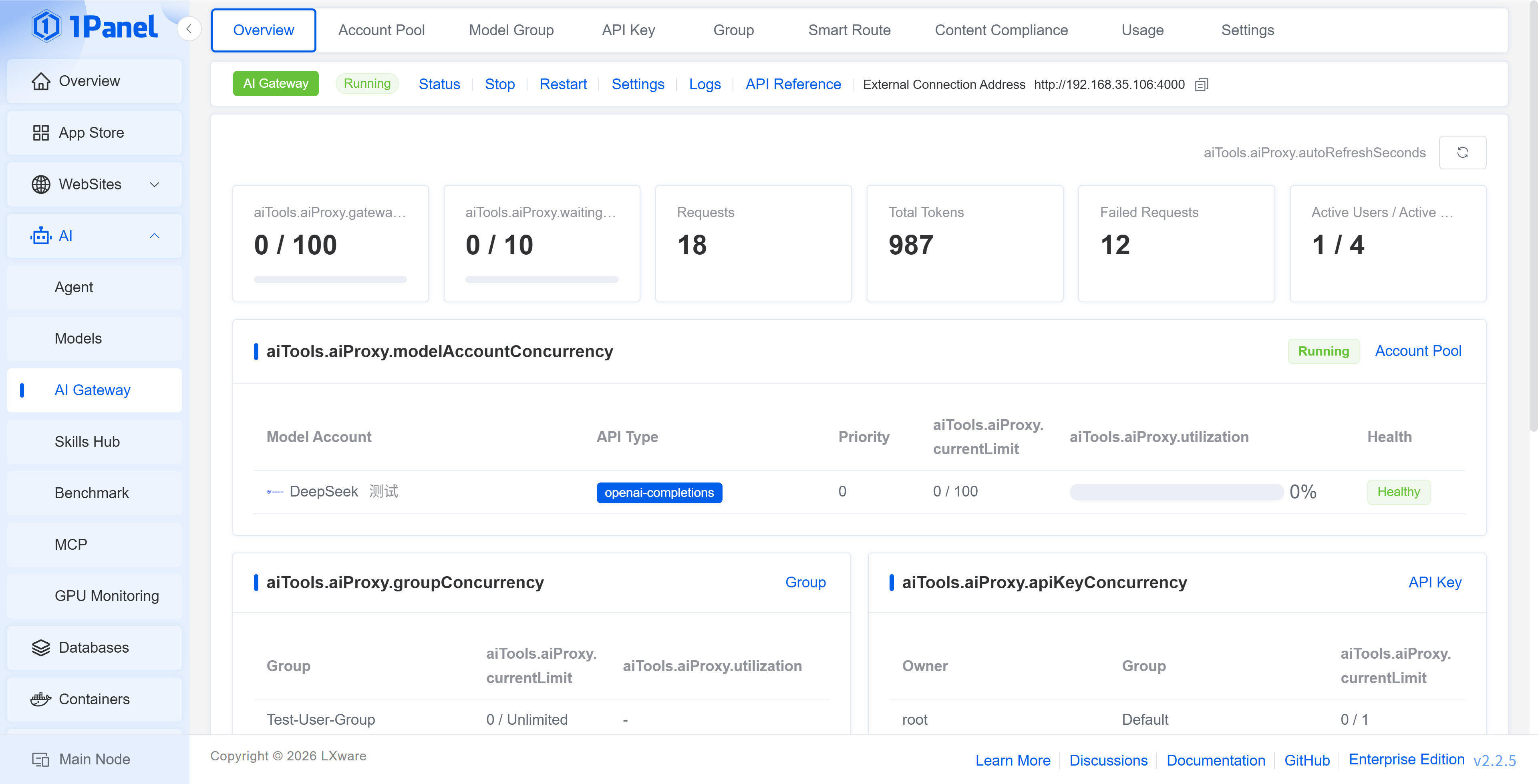
The top of the AI Gateway page displays the service status and external connection address, and provides the following operations:
- Status: Displays the runtime status, service auto-start, listening port, load balancing policy, concurrency limit, timeout parameters, log path, and Elasticsearch write status
- Start / Stop / Restart: Controls the AI Gateway service
- Settings: Opens the gateway settings page
- Log: Views the AI Gateway runtime logs
- External Connection Address: The Base URL configured on the client side, which can be copied directly
2 Account Pool
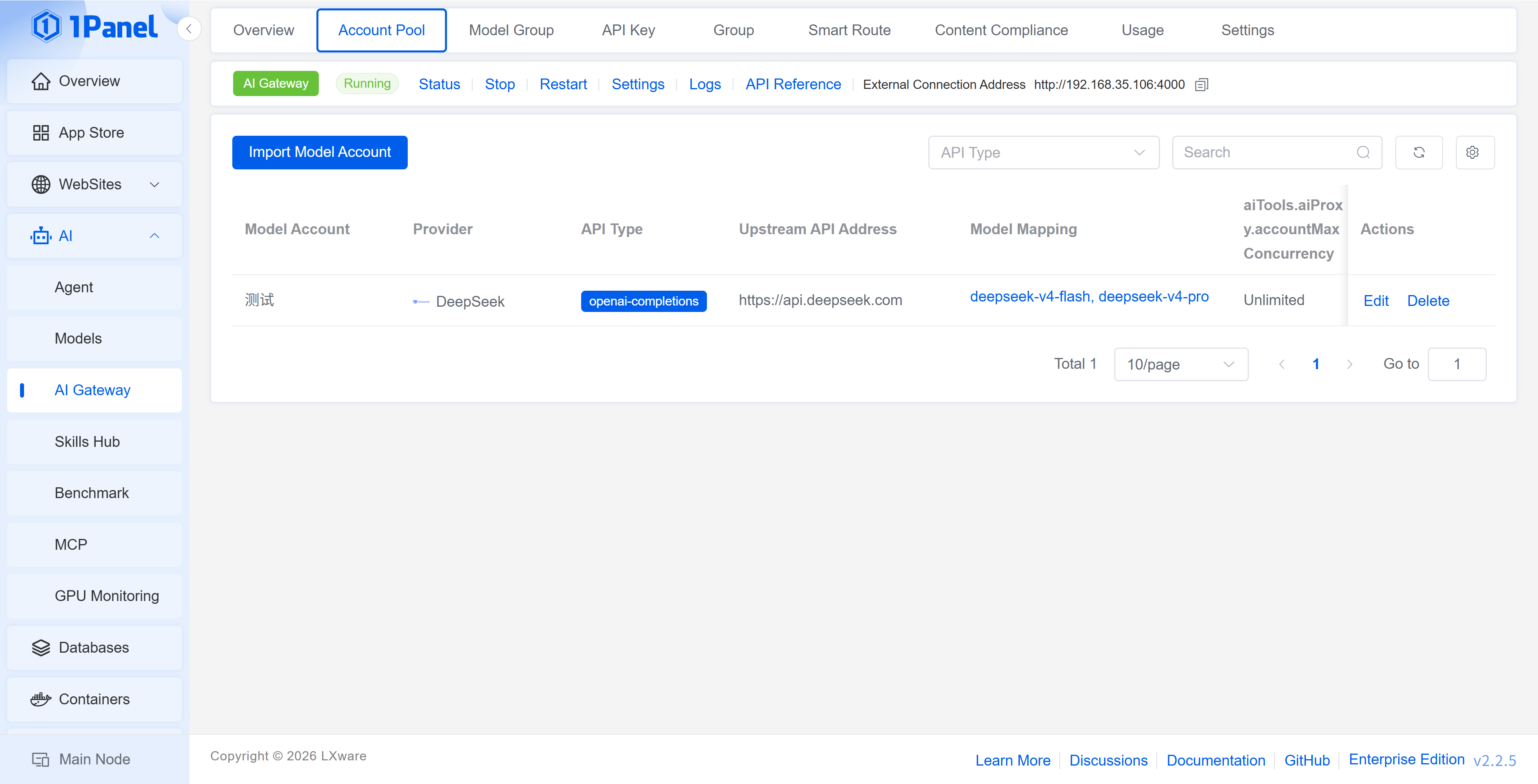
The Account Pool is used to maintain the upstream model accounts of the AI Gateway. Click Import Model Account, select an account created under AI -> Model, and configure the weight, priority, and model mapping.
The list displays the model provider, API type, upstream API address, health status, failure count, and latest error, making it easy to verify whether an account can participate normally in forwarding. The current page can simultaneously manage model accounts of different API types such as openai-completions, openai-responses, and anthropic-messages.
Import Parameters
- Model Account: Select an existing model account
- Weight: When the load balancing policy uses weight, a higher weight means the account undertakes more requests
- Priority: When the load balancing policy uses priority, the value is used to determine the account selection order
- Model Mapping: Maps the model requested by the client to the real upstream model of this account
- Verify Account Availability: Sends a minimal request before saving to check whether the endpoint is available
- Enabled: Controls whether this account participates in gateway forwarding
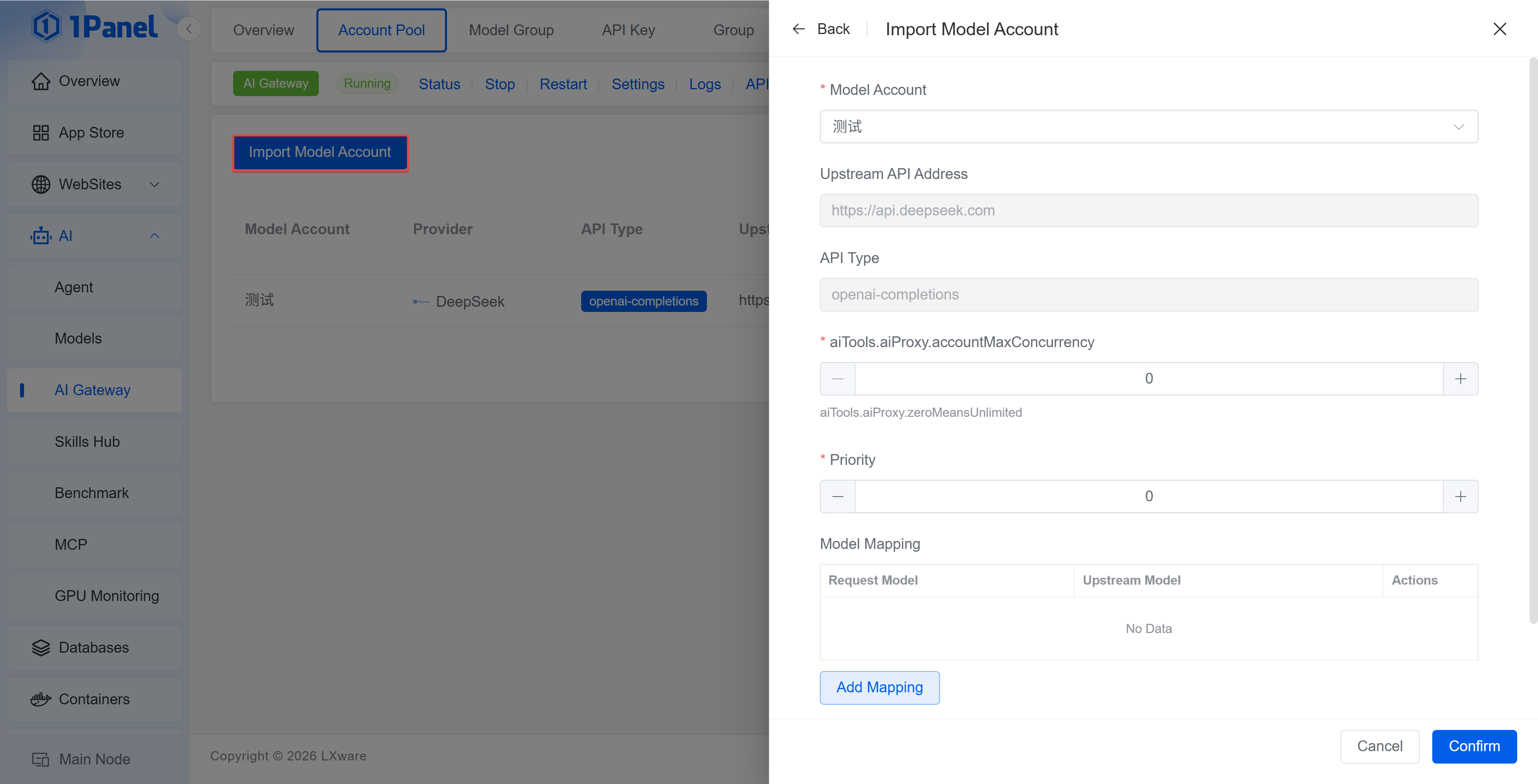
On the left side of the model mapping, enter the
modelin the client request, and on the right side, enter the real upstream model. The client only needs to be aware of the requested model name after mapping.
3 Model Group
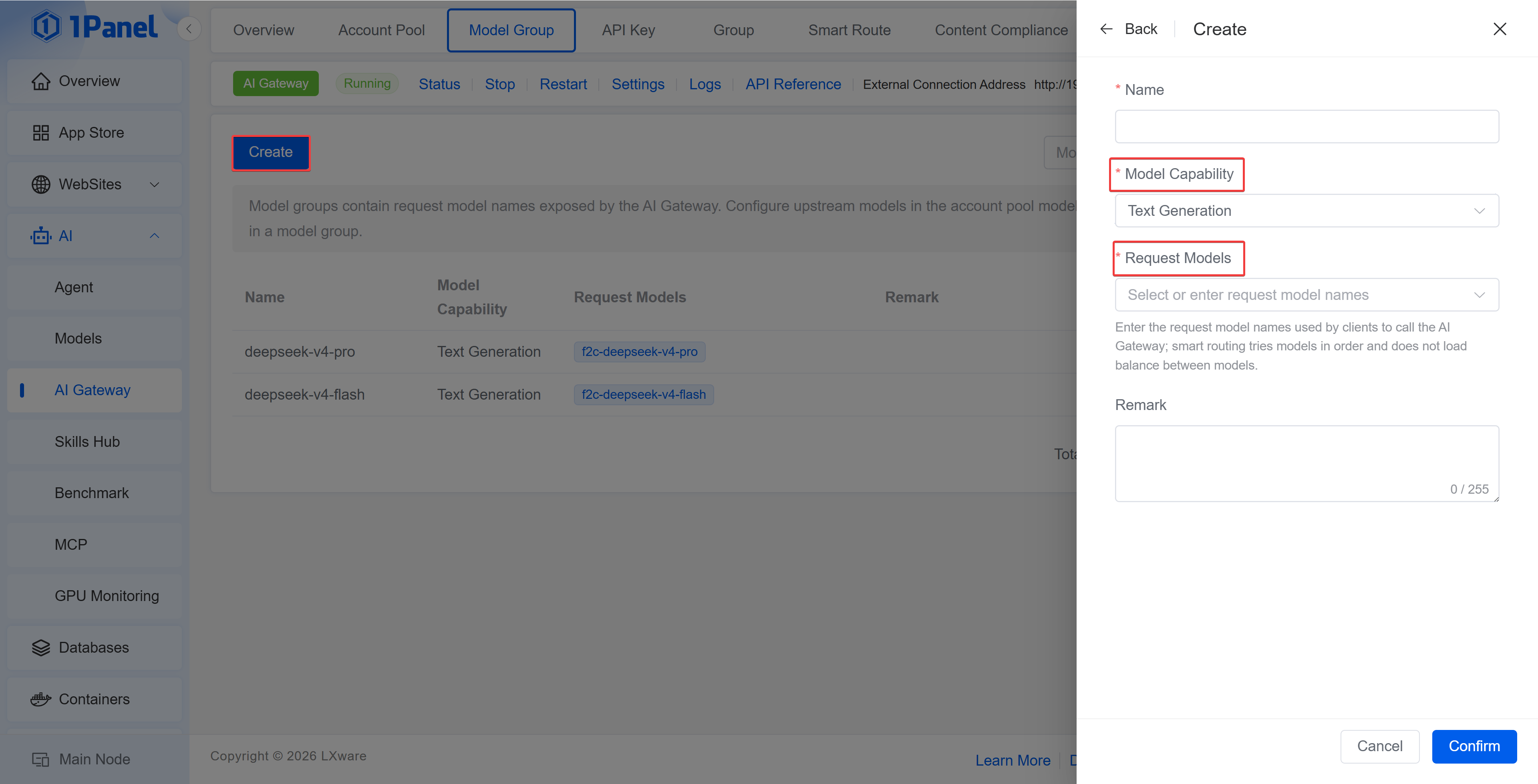
A Model Group is used to combine a set of real upstream models, primarily applied to user group model permissions and smart routing. When creating a model group, fill in the name, requested model, and remarks; the order of models within the group represents the selection priority of smart routing, and load balancing is not performed among models within the group.
auto is the virtual model name used by clients to trigger smart routing and does not need to be added to a model group.
4 User Group
A User Group is used to centrally manage the call quotas and model scope of a set of API Keys. After creating a user group, bind the API Keys to that user group.
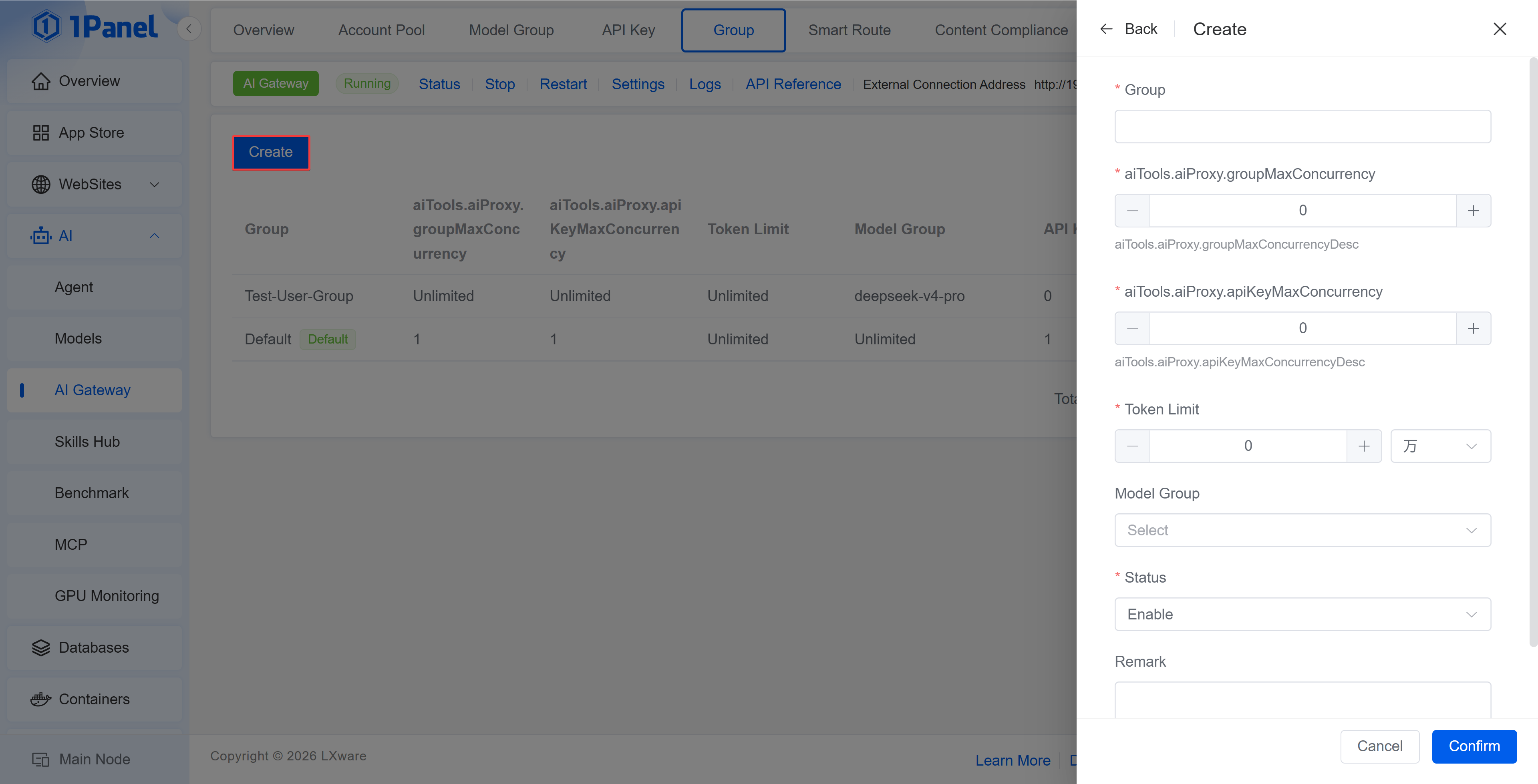
User Group Parameters
- User Group: The name of the user group
- QPS Limit: Limits the number of requests per second;
0means no limit - Token Limit: Limits the token quota available to this group;
0means no limit - Model Group: Restricts the models that this group can call; when not selected, it means no restriction
- Status: When disabled, the API Keys under this group can no longer make calls
- Remarks: Records the department, project, or usage scenario
The default user group cannot be deleted. After an API Key is bound to a user group, it inherits the user group's QPS, token quota, and model scope.
5 API Key
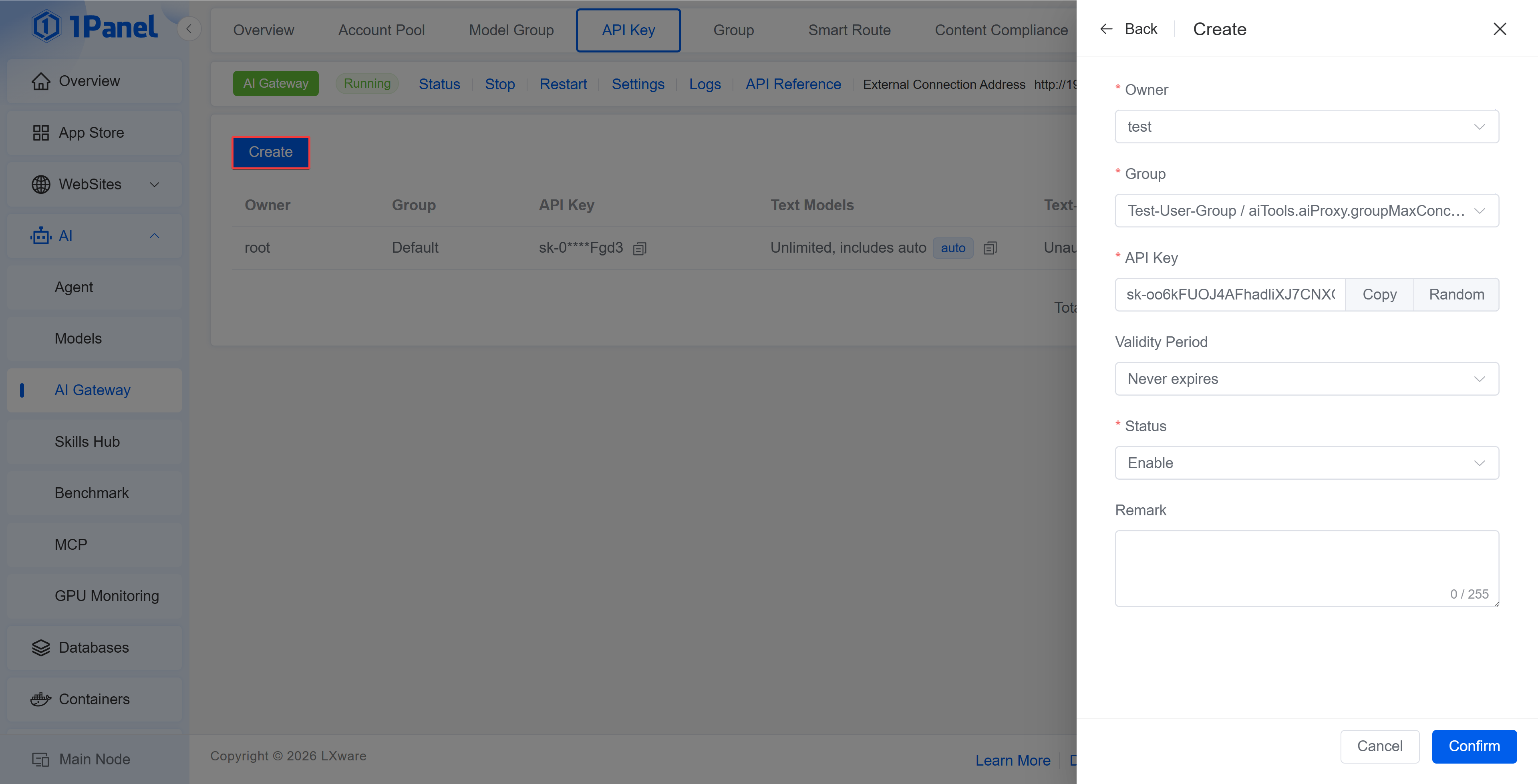
On the API Key page, click Create, select the user and user group, confirm the API Key generated by the system, and save. The list displays information such as the available models, QPS limit, token usage, status, and last used time, and supports editing, deleting, and resetting the token.
The API Key is only fully displayed at the time of creation, so be sure to save it properly. After resetting the token, the original token can no longer be used, and the client configuration must be updated accordingly.
Client Call Example
curl http://<Server IP>:4000/v1/chat/completions \
  -H "Authorization: Bearer <API Key>" \
  -H "Content-Type: application/json" \
  -d '{
    "model": "deepseek-v4-flash",
    "messages": [
      {
        "role": "user",
        "content": "Hello"
      }
    ],
    "stream": true
  }'
Clients should use the external connection address at the top of the page as the Base URL.
modelcan be filled with the requested model name in the account pool; after enabling smart routing,autocan also be filled in.
6 Smart Routing
Smart routing selects a model between a simple model group and a complex model group based on request complexity. Smart routing is only triggered when the client request uses model=auto; when other model names are requested, the request is forwarded through the normal AI Gateway flow.
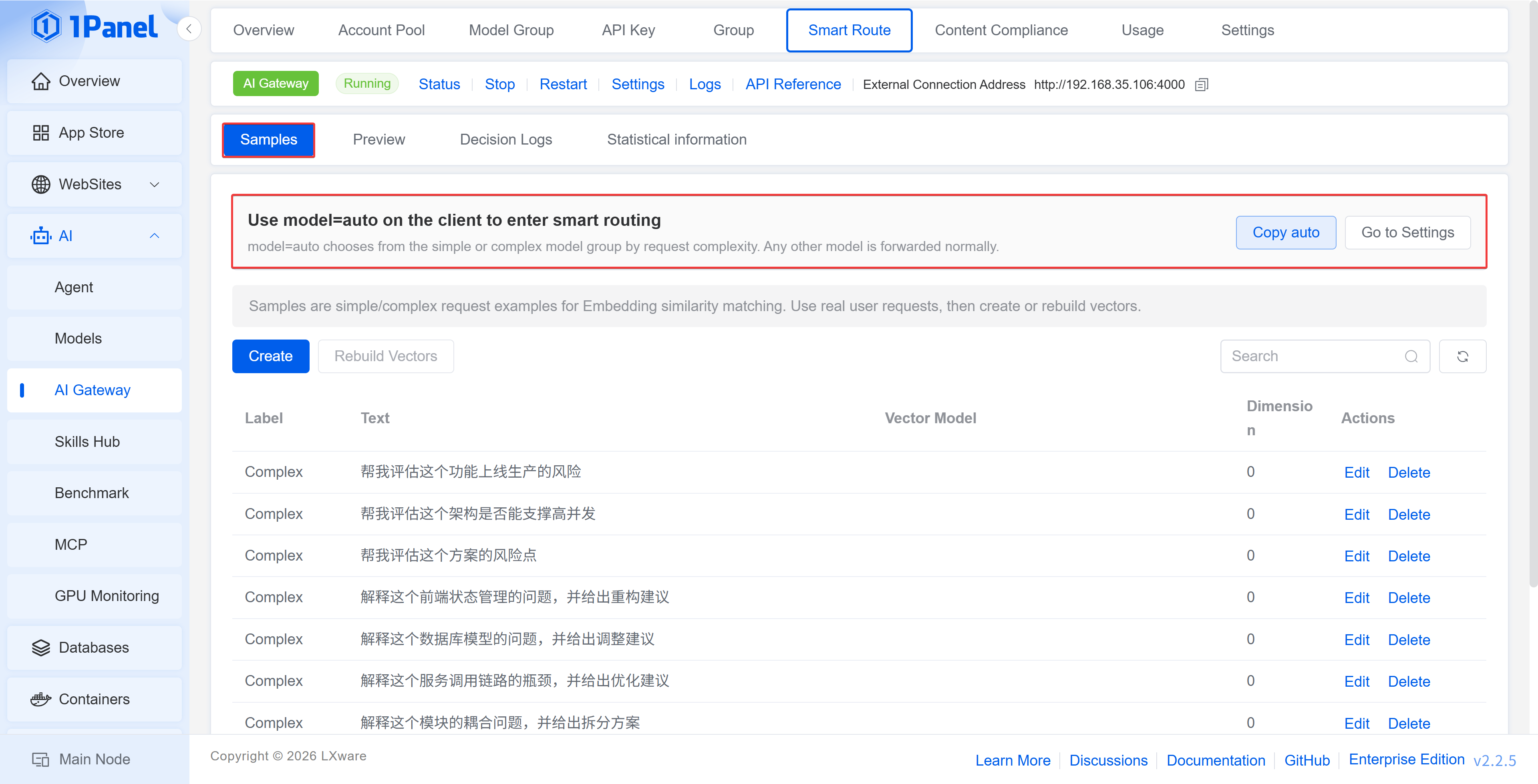
6.1 Configuration Process
- In Model Group, create a simple model group and a complex model group respectively, and configure the real upstream models.
- In Settings -> Embedding, configure the Embedding service, routing threshold, and TopK.
- In Settings -> Smart Routing, enable the feature and select the simple model group and complex model group.
- In Smart Routing -> Samples, maintain simple and complex request samples, and generate or rebuild vectors.
- The client initiates a request using
model=auto.
6.2 Feature Description
Samples
Samples are used to describe simple or complex questions. The list displays the label, sample text, vector model, and vector dimension. After adding or adjusting the Embedding configuration, you can click Rebuild Vectors.
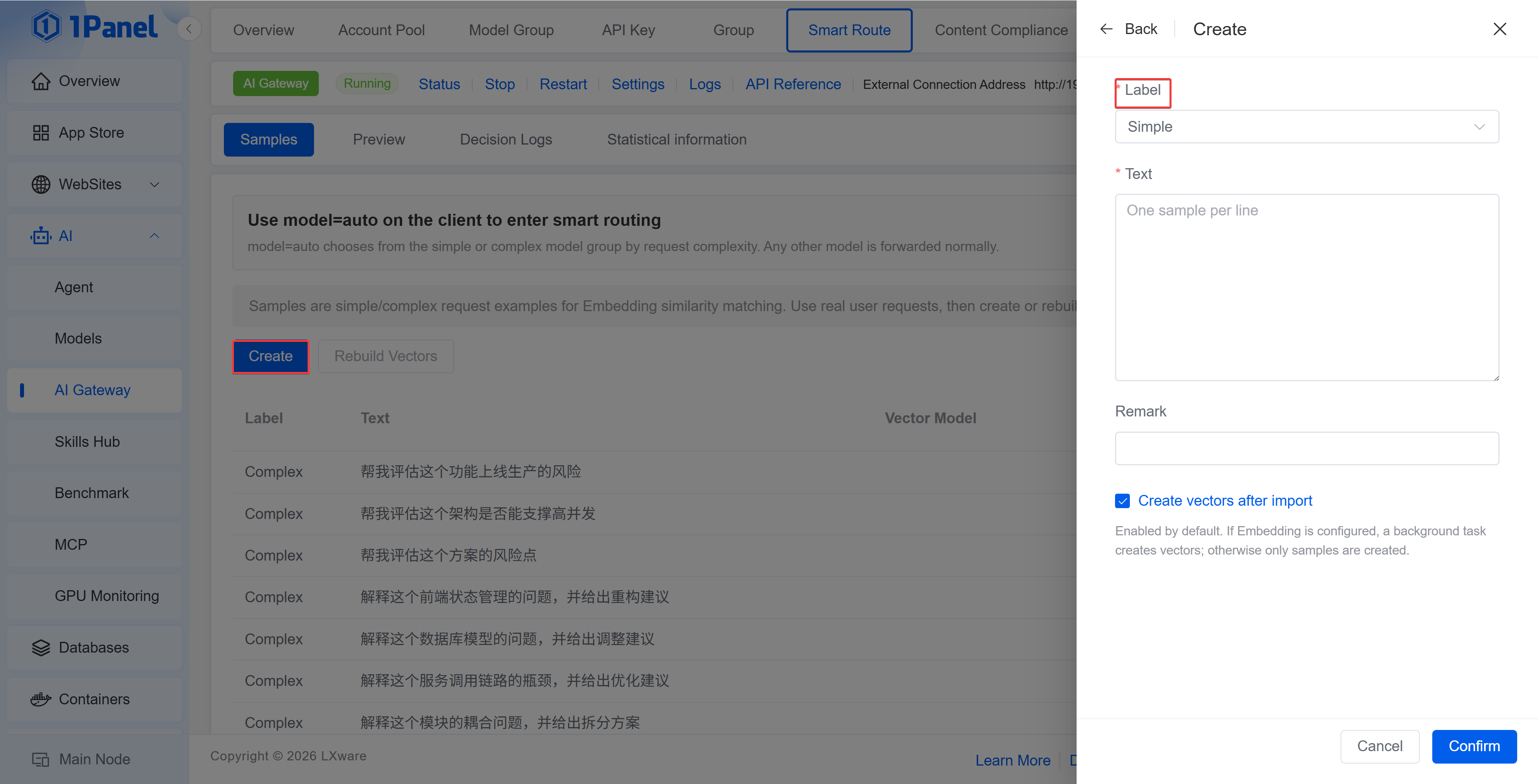
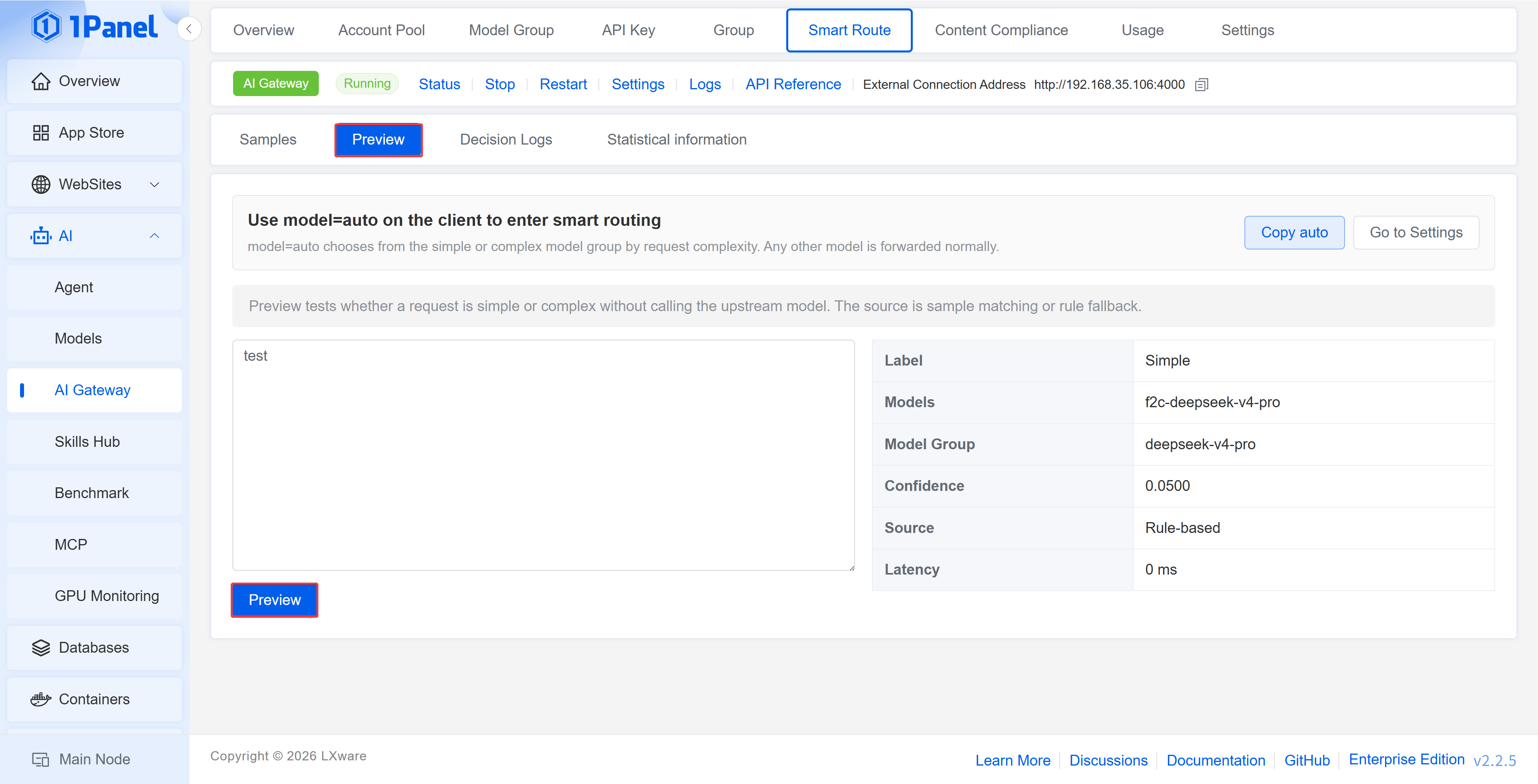
Preview
Enter a piece of request text to see whether it will be judged as simple or complex, and the source of the judgment is displayed. The preview only executes the routing judgment and does not actually call the upstream model.
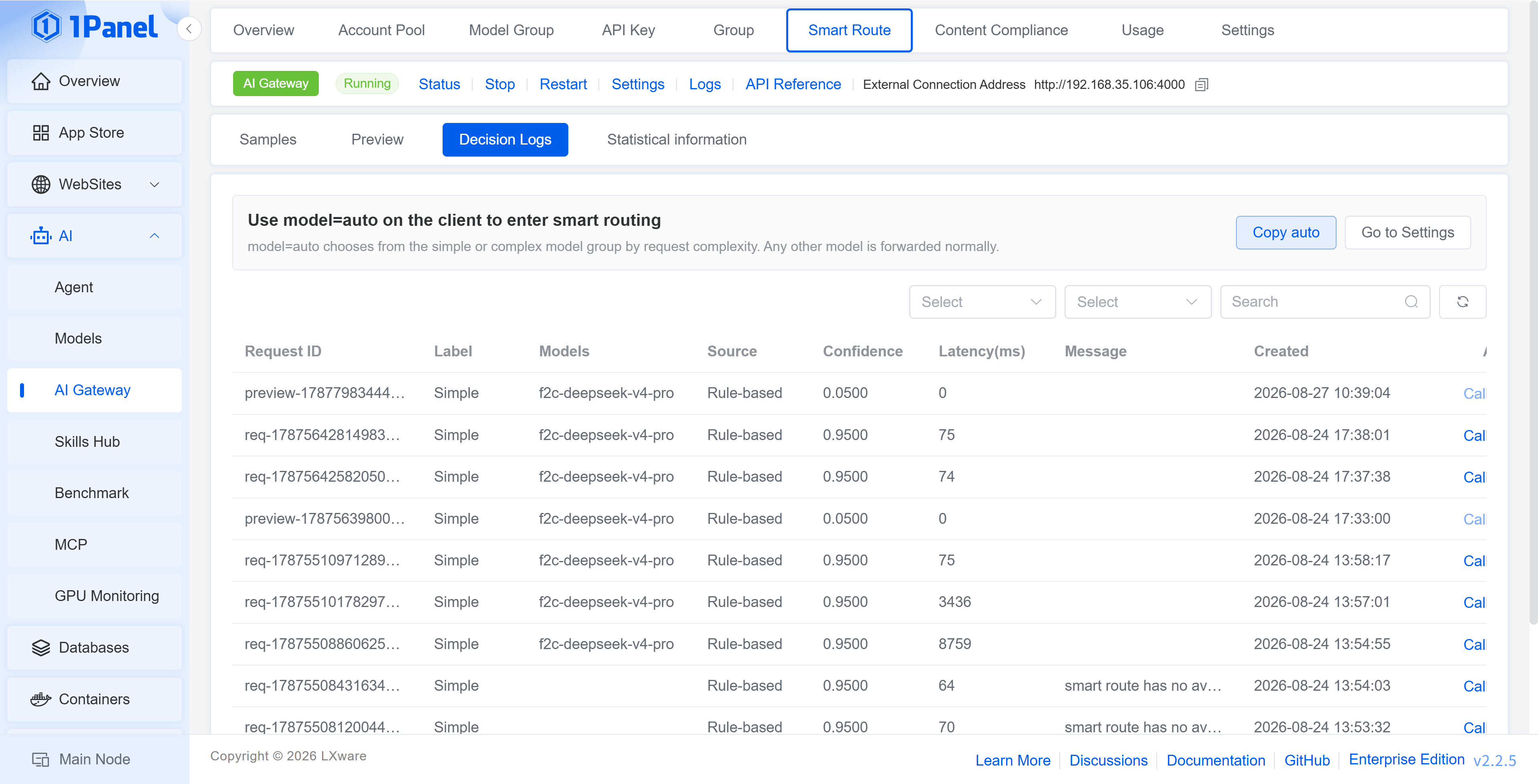
Decision Log
Records the request ID, judgment label, final model, judgment source, confidence, duration, and creation time. The judgment source includes sample matching and rule judgment, and you can jump to the corresponding call log.
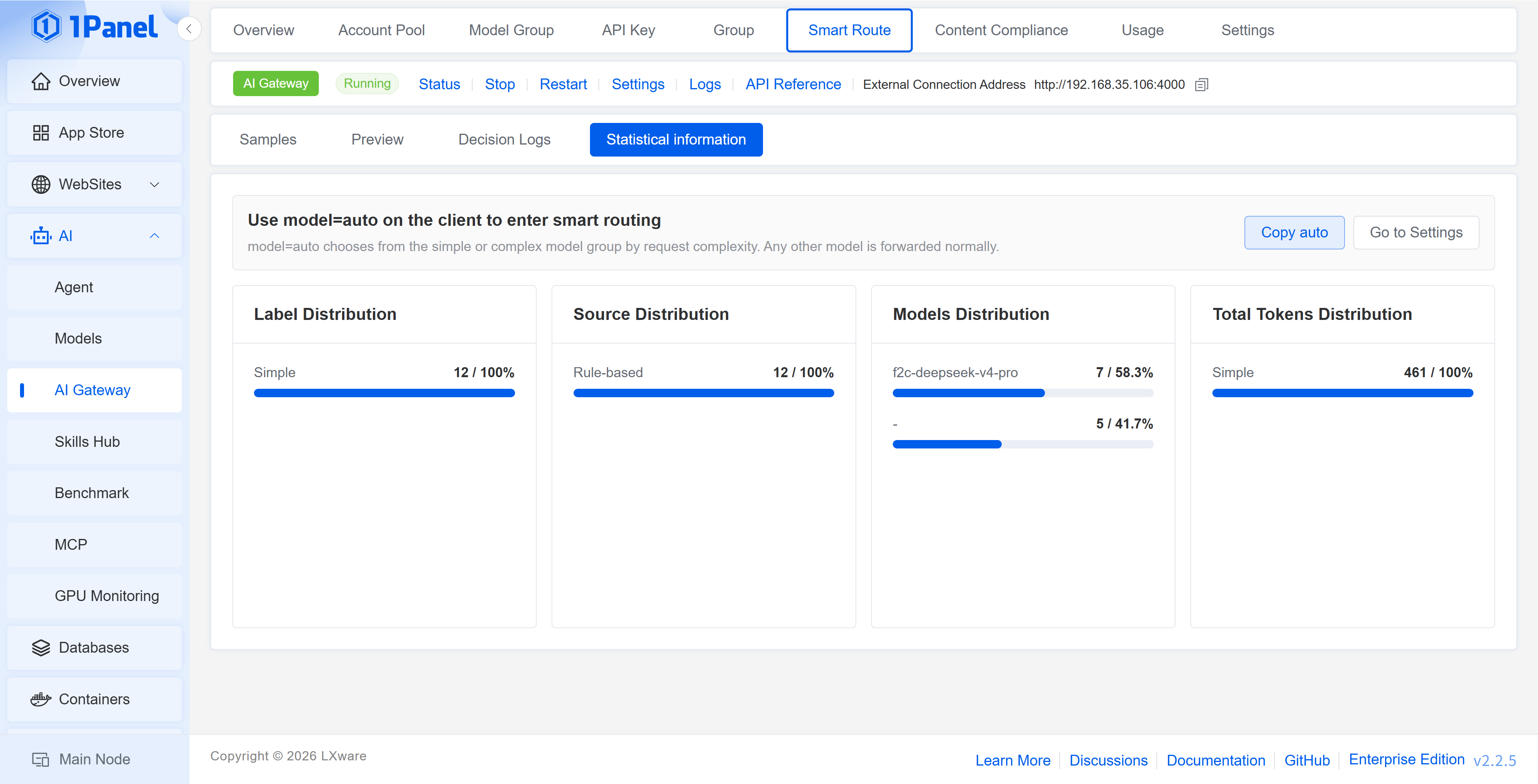
Statistics
Displays the proportion of simple/complex requests, sample match proportion, total tokens, average tokens, failed requests, and the distribution by label, source, model, and token.
7 Content Compliance
Content compliance supports sensitive word matching and semantic review samples based on Embedding. Before enabling it, you first need to turn on the master switch in Settings -> Content Compliance; when using review samples, you also need to complete the configuration of Settings -> Embedding.
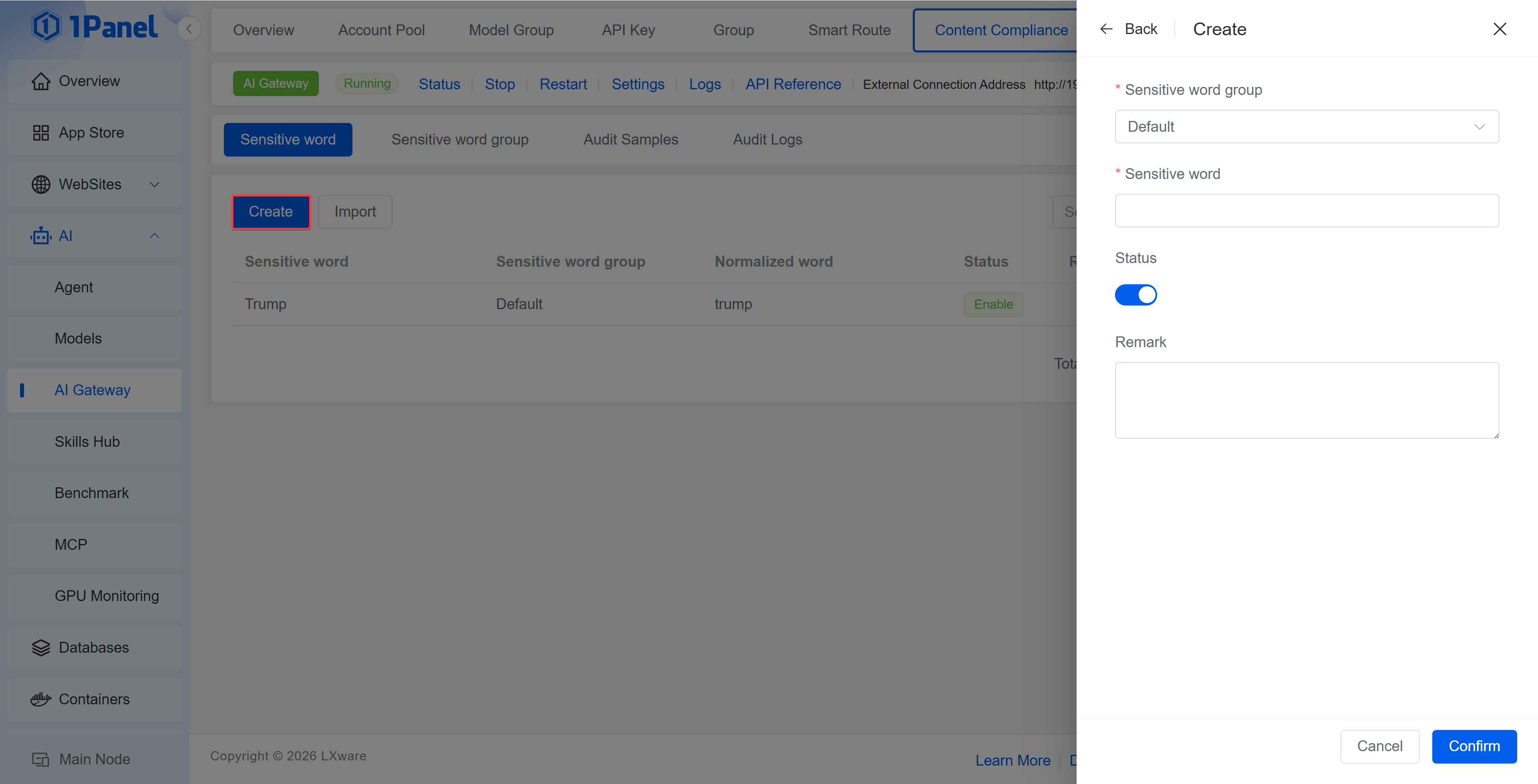
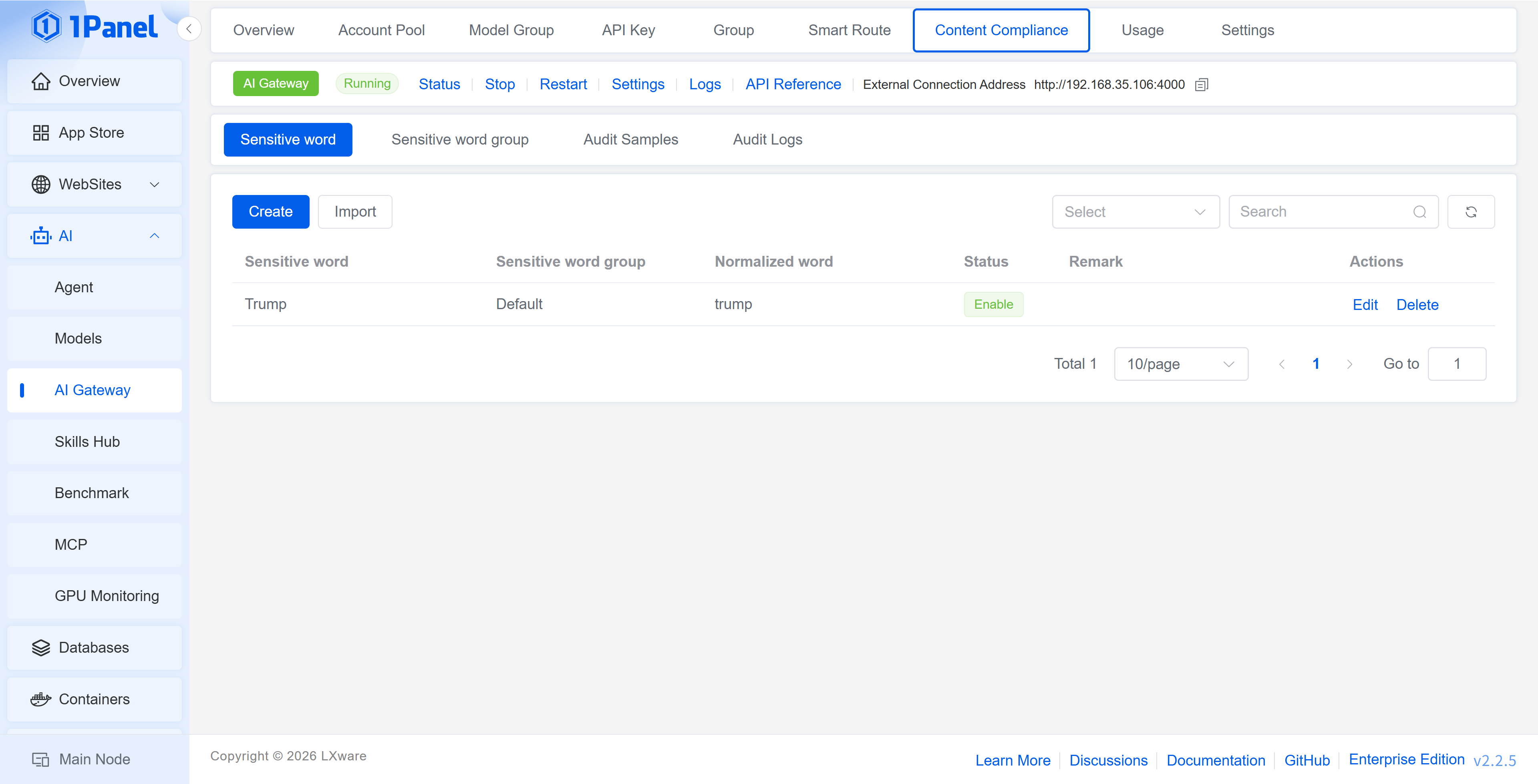
Sensitive Words
Supports creating and batch importing sensitive words, and setting sensitive word groups, normalized words, status, and remarks. Normalized words are used to unify different spellings into a single matching word.
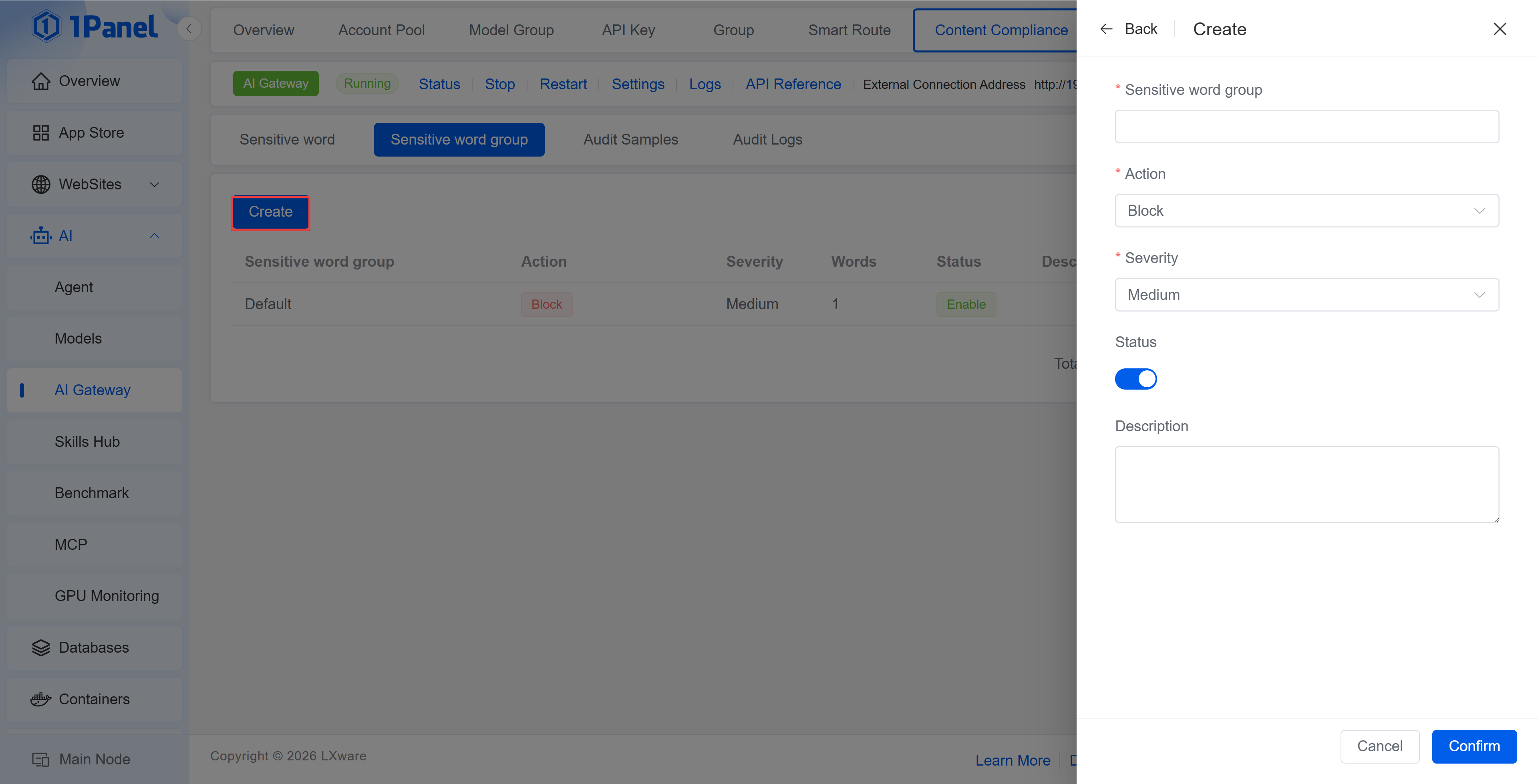
Sensitive Word Group
Sets the action, risk level, status, and description for a group of sensitive words. The action includes Block and Log Only.
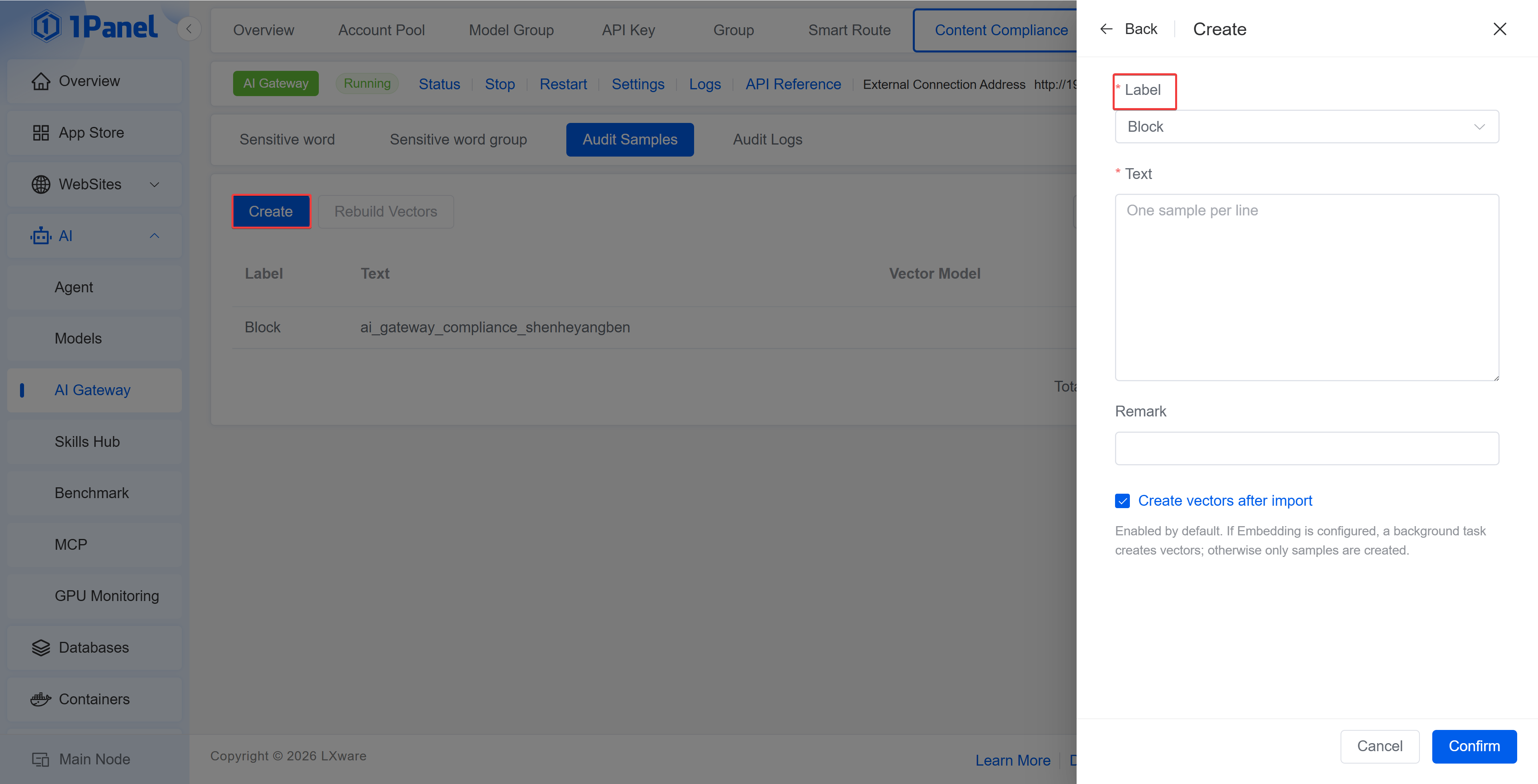
Review Samples
Maintains the review text used for semantic matching and sets labels. The list displays the vector model and dimension. After sample changes or Embedding configuration adjustments, vectors can be rebuilt.
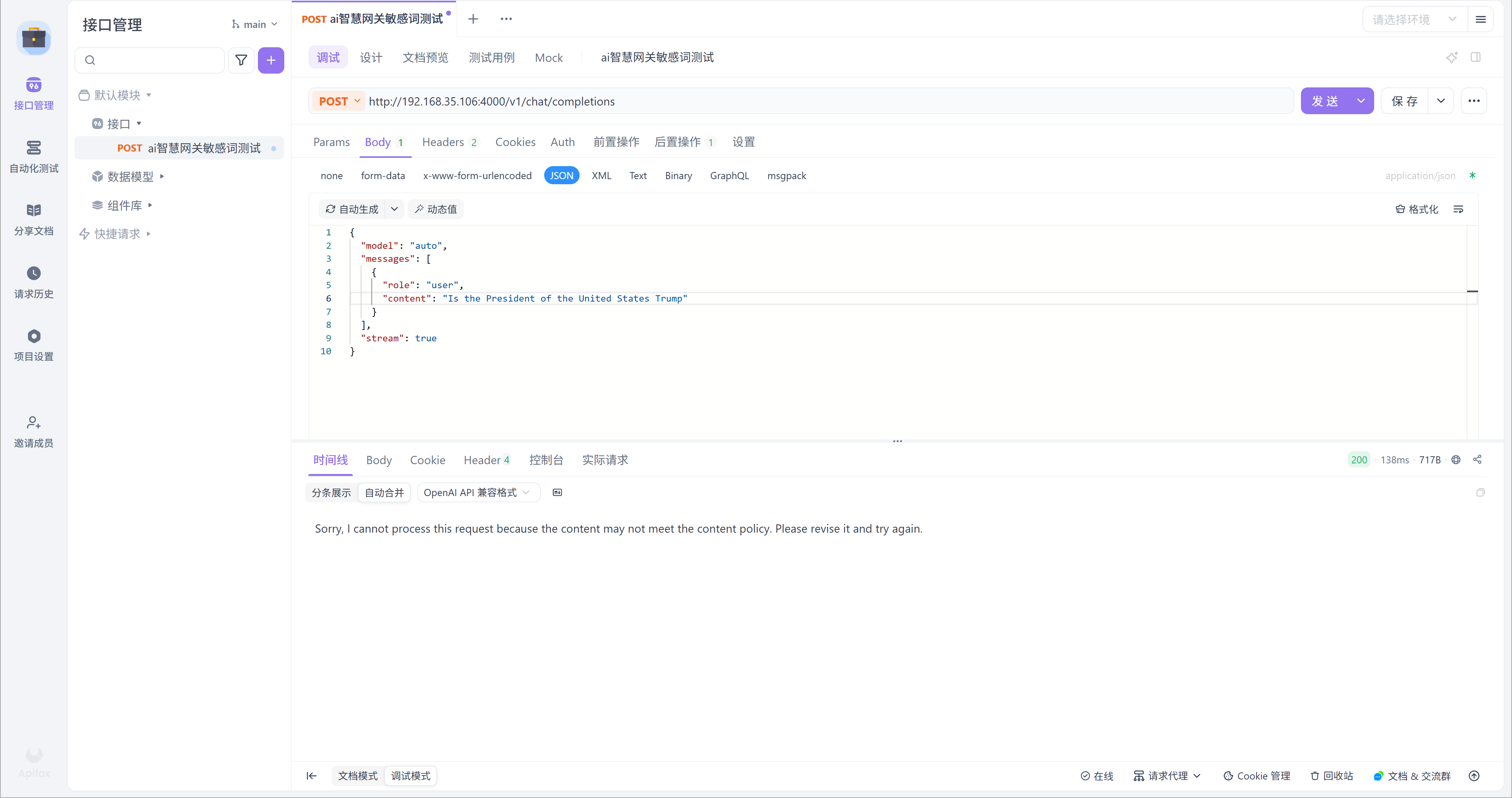
Audit Log
Records the Request ID, requested model, matched word, matched group, action, status code, and creation time, for tracking requests that were logged or blocked.
8 Usage Statistics
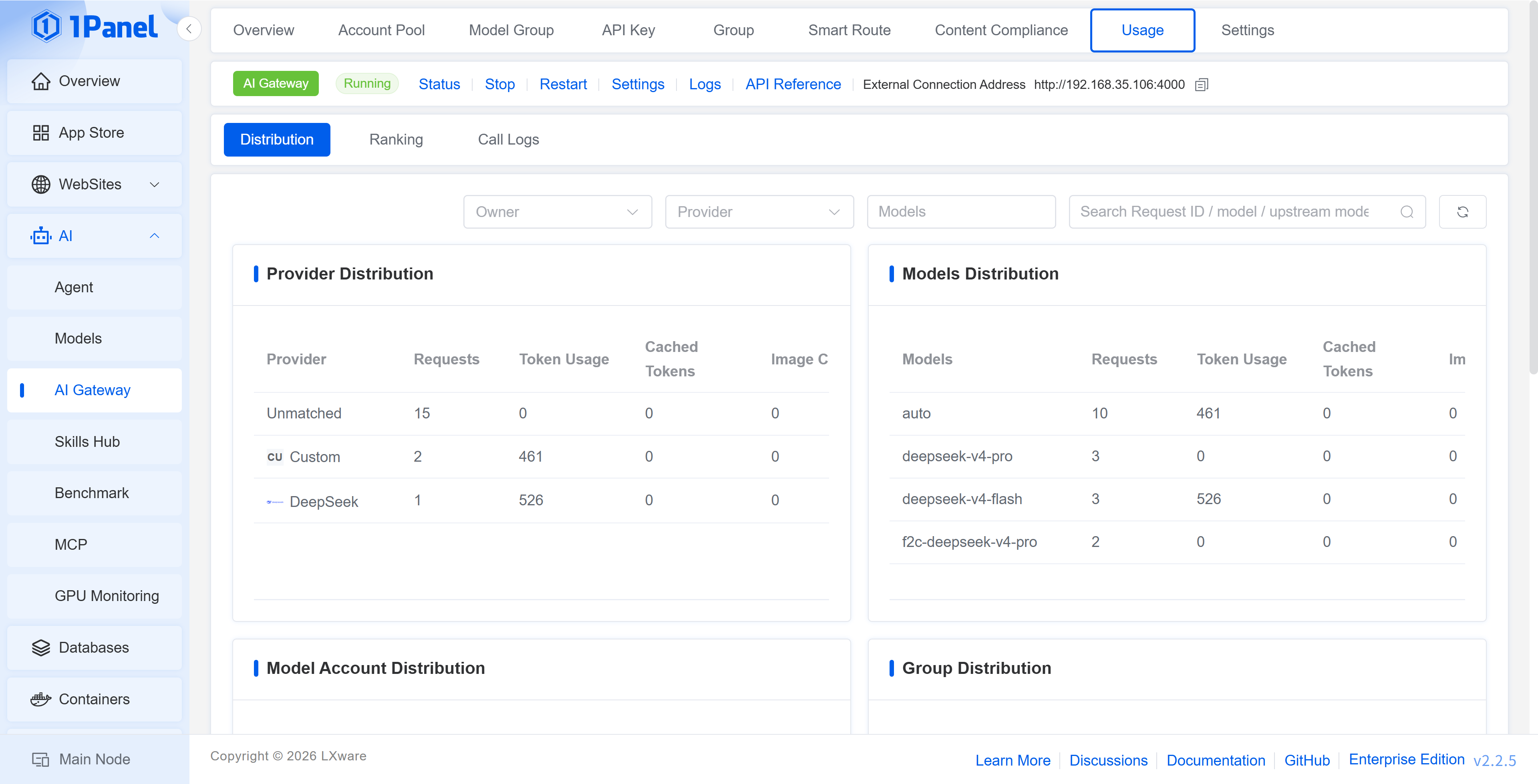
Usage Statistics provides 3 views: Distribution, Leaderboard, and Call Log, and supports filtering by user, model provider, model, and keyword.
Distribution
Provides statistics on the request count, token usage, cached tokens, and proportion by model provider, model, model account, user group, and user.
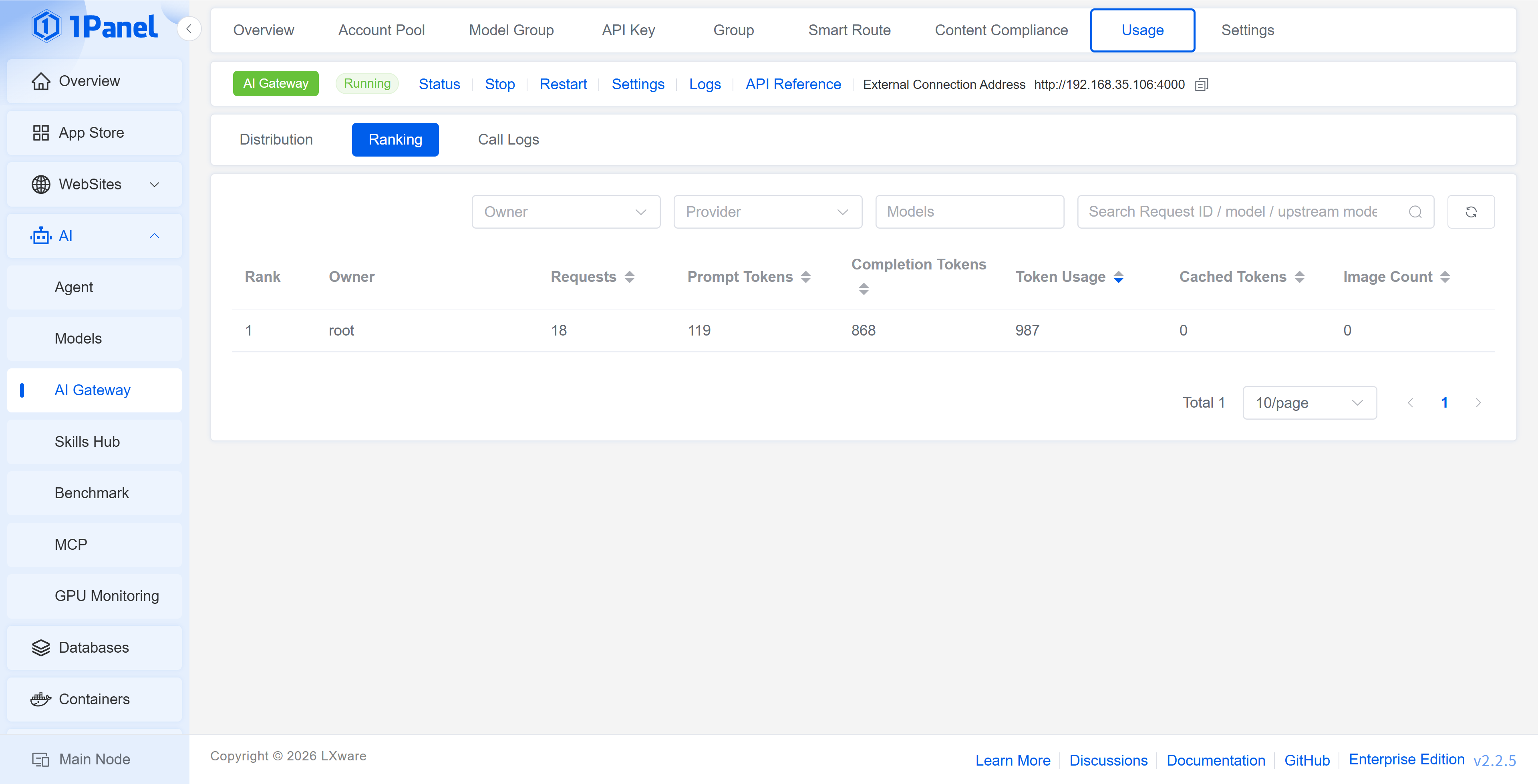
Leaderboard
Displays the request count, input tokens, output tokens, total tokens, and cached tokens by user, and supports sorting by metric.
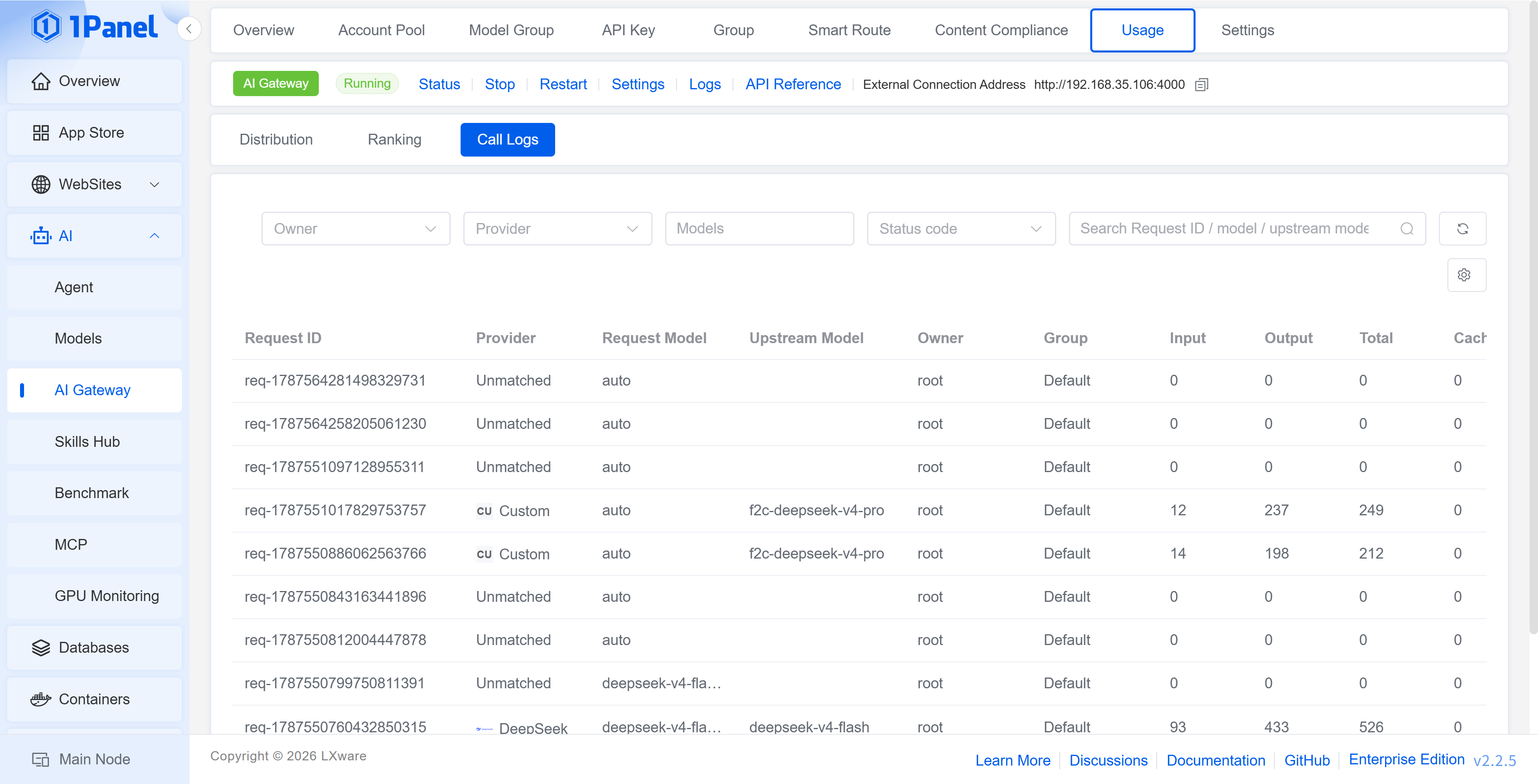
Call Log
Displays the Request ID, model provider, requested model, upstream model, user, user group, input/output/total tokens, cached tokens, status code, response time, and request time. Click Details to view the information of a single call.
9 Gateway Settings
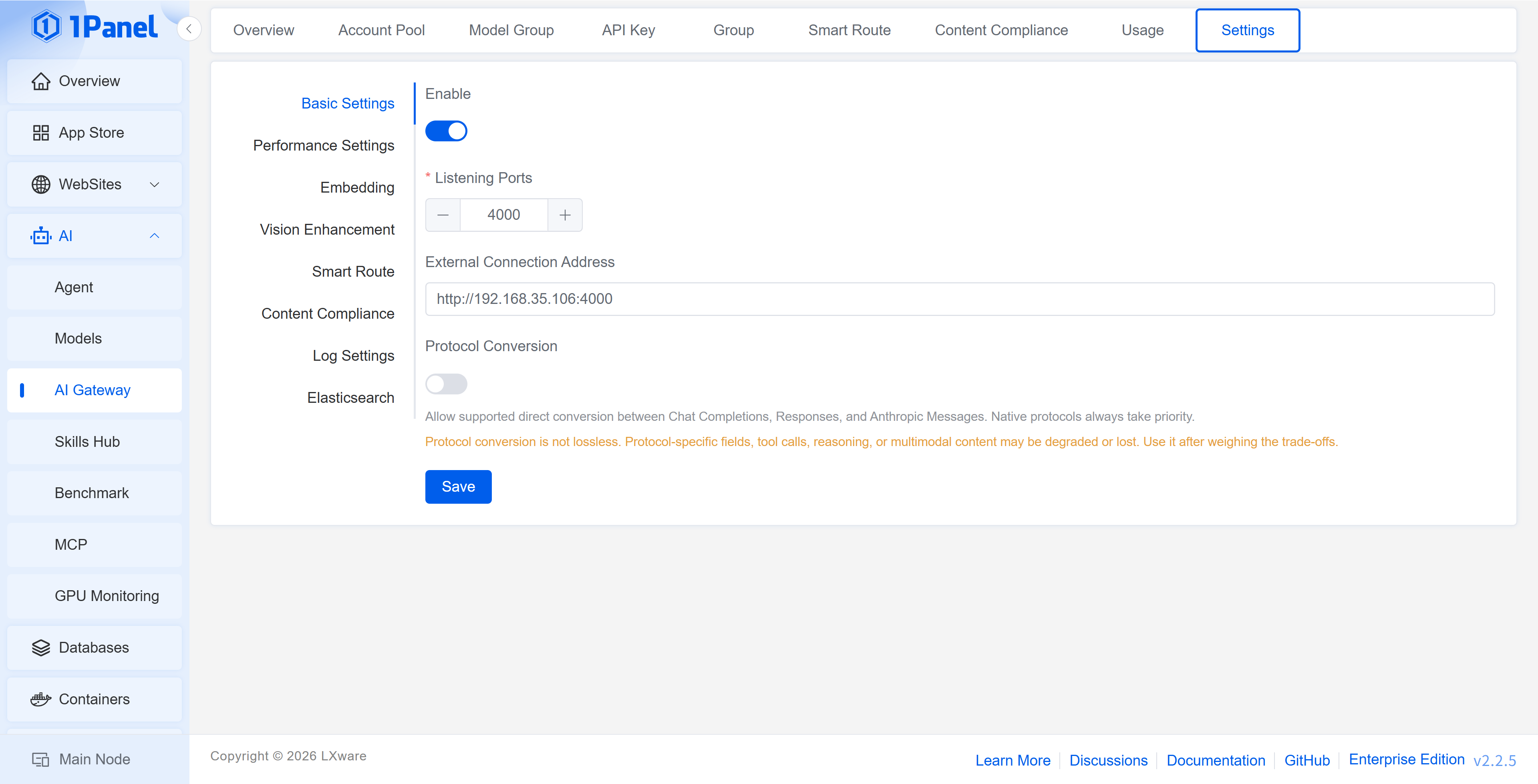
9.1 Basic Settings
Basic Settings is used to control the gateway switch, listening port, external connection address, and load balancing policy. The external connection address should be the address actually accessible to clients and must contain the /v1 path.
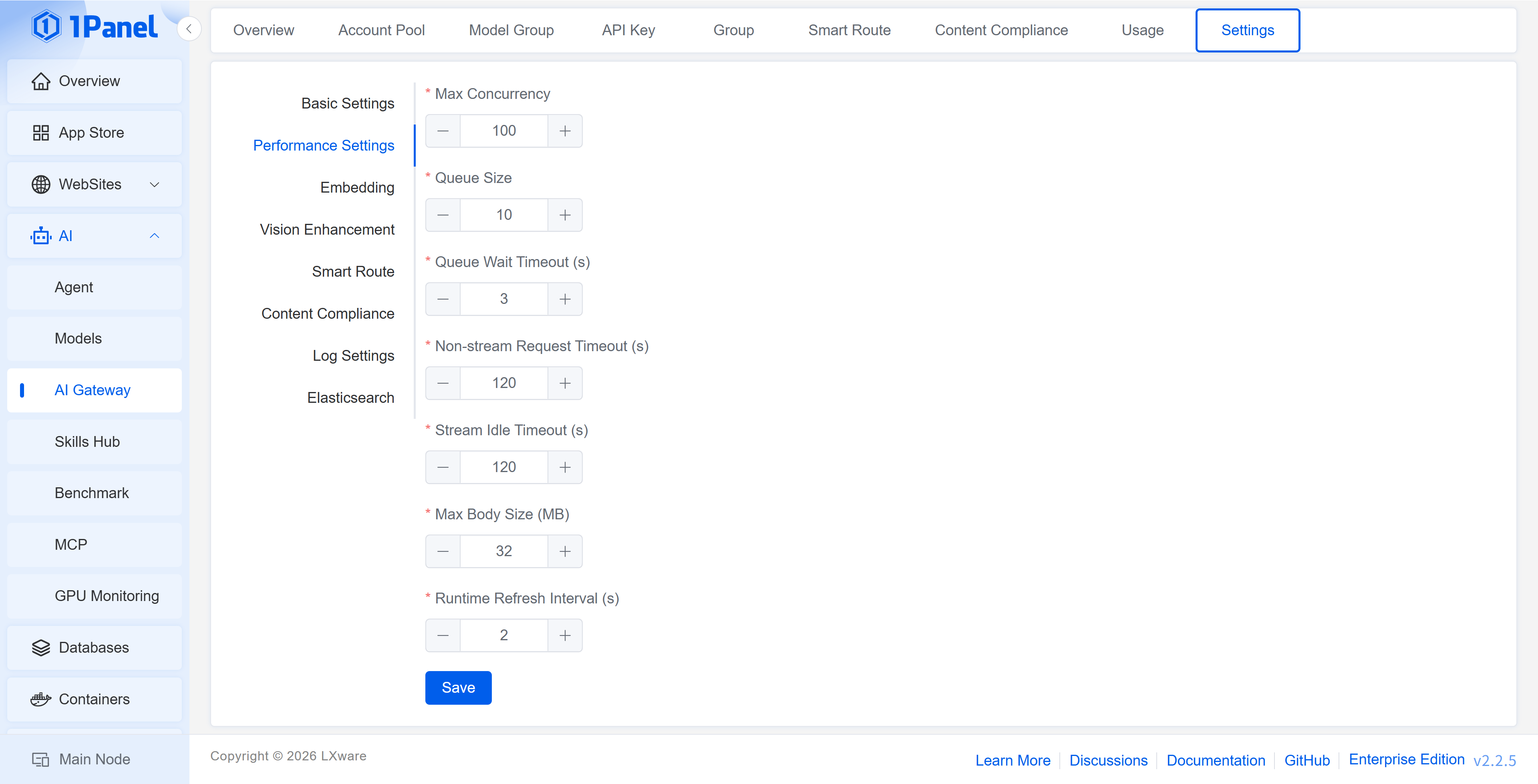
9.2 Performance Settings
Parameter Description
- Maximum Concurrency: The maximum number of requests processed simultaneously
- Waiting Queue Size: The number of requests allowed to queue after the concurrency limit is exceeded
- Queue Wait Timeout: The maximum waiting time of a request in the queue
- Non-streaming Request Timeout: The maximum execution time of a normal request
- Streaming Idle Timeout: The maximum waiting time when a streaming response returns no data
- Maximum Request Body: The size limit of a single request body
- Runtime Refresh Interval: The refresh interval of the runtime configuration
9.3 Embedding Settings
The Embedding service is used for semantic matching of both smart routing samples and content compliance review samples. The page supports configuring the service address, model, and API Key, and provides a connection test.
9.3.1 Deploying the Embedding Model
- Enter AI -> Model -> Downloader, download the
Qwen3-Embedding-0.6B-GGUFmodel, and confirm that the model files containqwen3-embedding-0.6b-q8_0.gguf. - Enter the App Store, search for and install
llama.cpp. -
In the installation parameters, set the Model Directory to:
/opt/1panel/ai/models -
Set the Startup Parameters to:
-m /models/Qwen3-Embedding-0.6B-GGUF/qwen3-embedding-0.6b-q8_0.gguf --host 0.0.0.0 --port 8080 --embedding --pooling last -c 32768 -
Complete the installation and confirm that the
llama.cppapplication is in the running state.
The Model Directory is
/opt/1panel/ai/modelson the host machine. This directory is mounted as/modelsinside thellama.cppcontainer, so the model path in the startup parameters must begin with/models.
9.3.2 Connecting to the AI Gateway
Enter AI -> AI Gateway -> Settings -> Embedding, and fill in the following parameters:
Connection Parameters
- Address:
http://127.0.0.1:8080 - Model:
Qwen3-Embedding-0.6B - API Key: Leave blank when the local
llama.cppdoes not have authentication configured
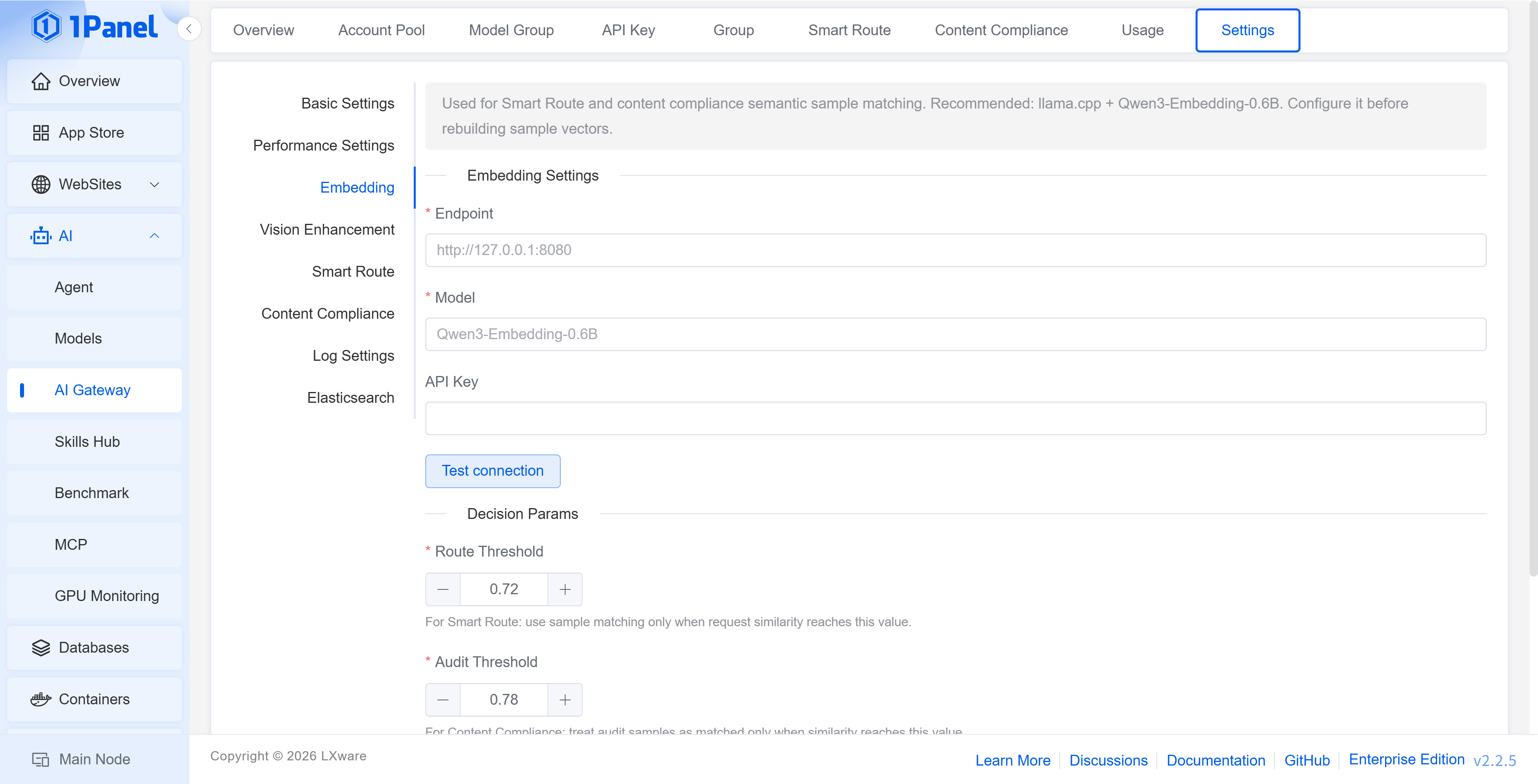
Click Connection Test. After the test succeeds, save the configuration, and then generate or rebuild vectors on the smart routing sample or content review sample page.
Decision Parameters
- Routing Threshold: The sample match result is adopted only when the similarity between the request and the smart routing samples reaches this value
- Review Threshold: The request is considered to match a review sample only when its similarity to the content review samples reaches this value
- TopK: The number of most similar samples involved in each judgment
After modifying the Embedding address, model, or decision parameters, you should return to the smart routing sample and content review sample pages to rebuild the vectors.
9.4 Smart Routing and Content Compliance Settings
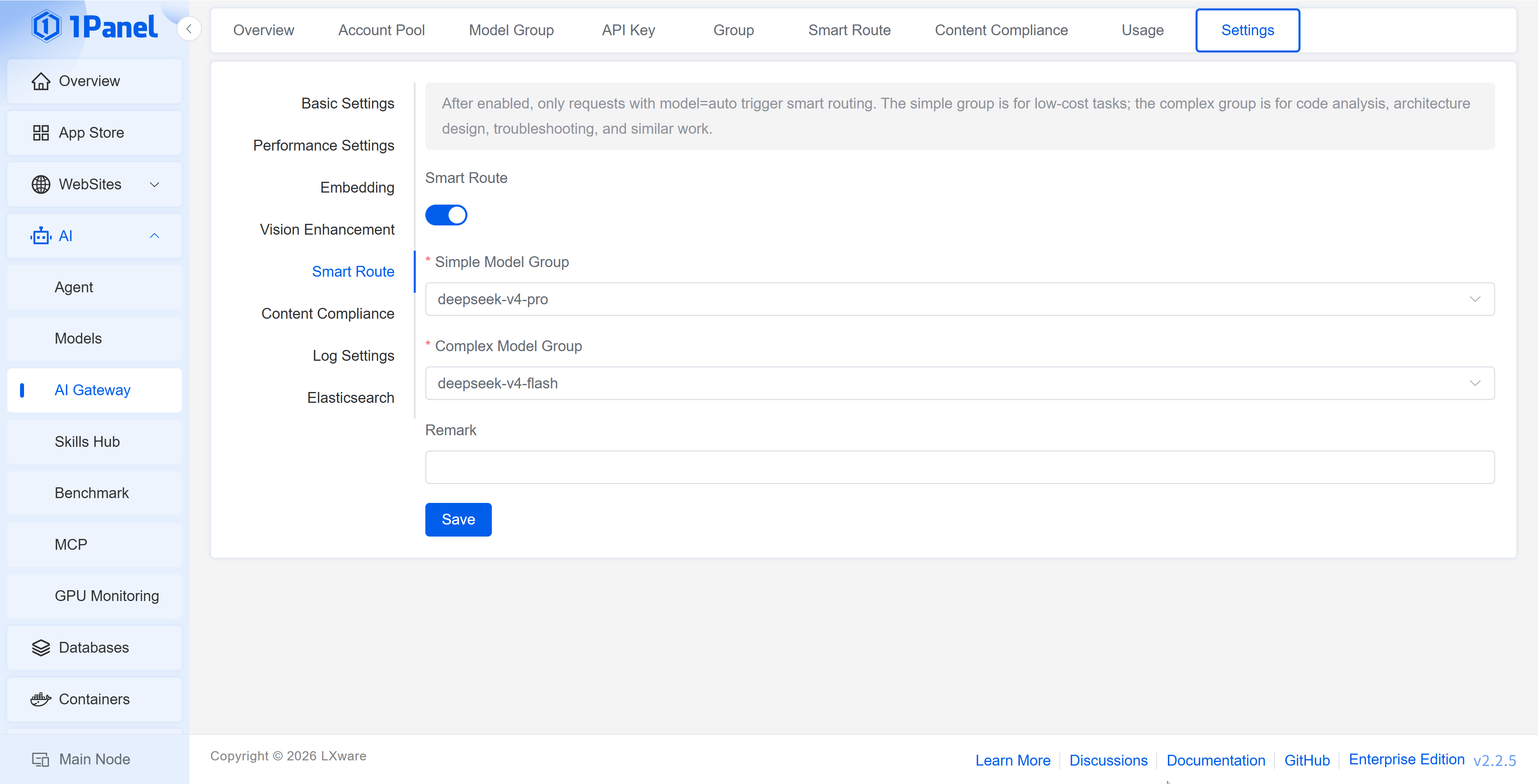
In the Smart Routing tab, turn on the switch and select the simple model group and complex model group. The simple model group is suitable for low-cost tasks, while the complex model group is suitable for tasks such as code analysis, architecture design, and troubleshooting.
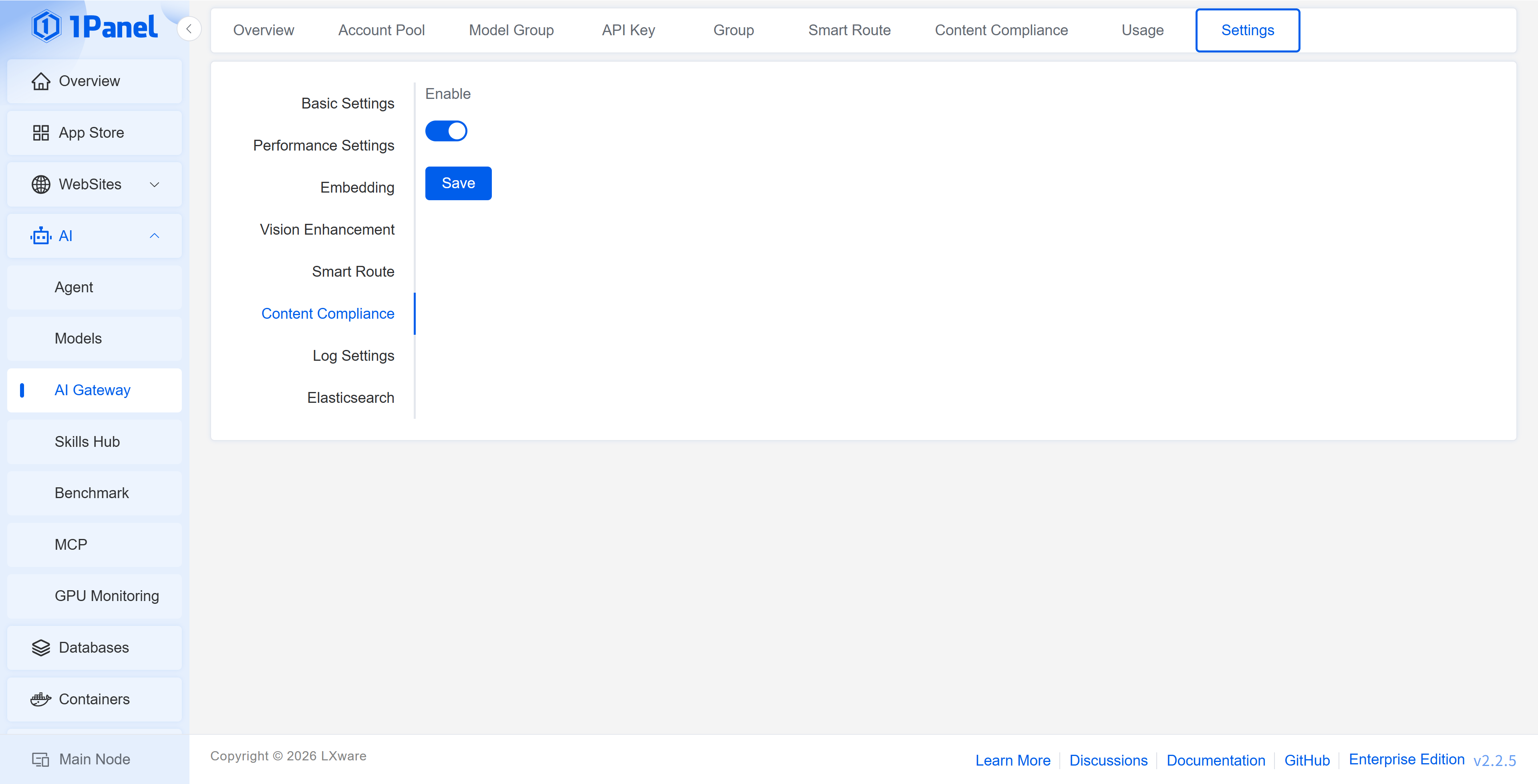
In the Content Compliance tab, content compliance checks can be enabled or disabled uniformly.
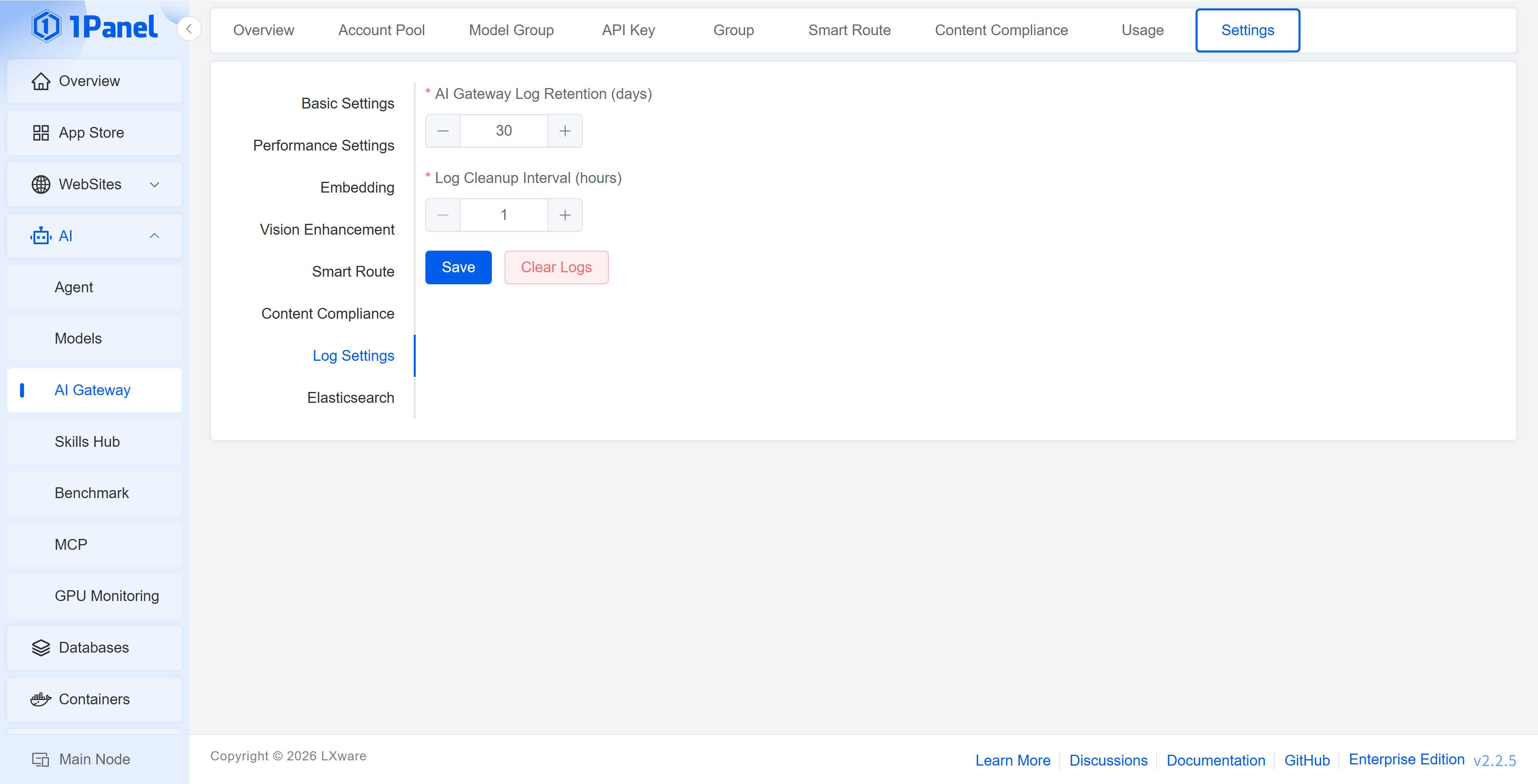
9.5 Log Settings
Parameter Description
- AI Gateway Log Retention Days: Controls the retention period of the local gateway logs
- Log Cleanup Interval: Controls the execution interval of the background log cleanup task
- Clear Logs: Immediately clears the existing AI Gateway logs; use with caution
9.6 Elasticsearch Settings
Elasticsearch is used to save the request and response content of the AI Gateway, facilitating retrieval, audit, and troubleshooting. The page supports a connection test; confirm that the connection is available before saving the configuration.
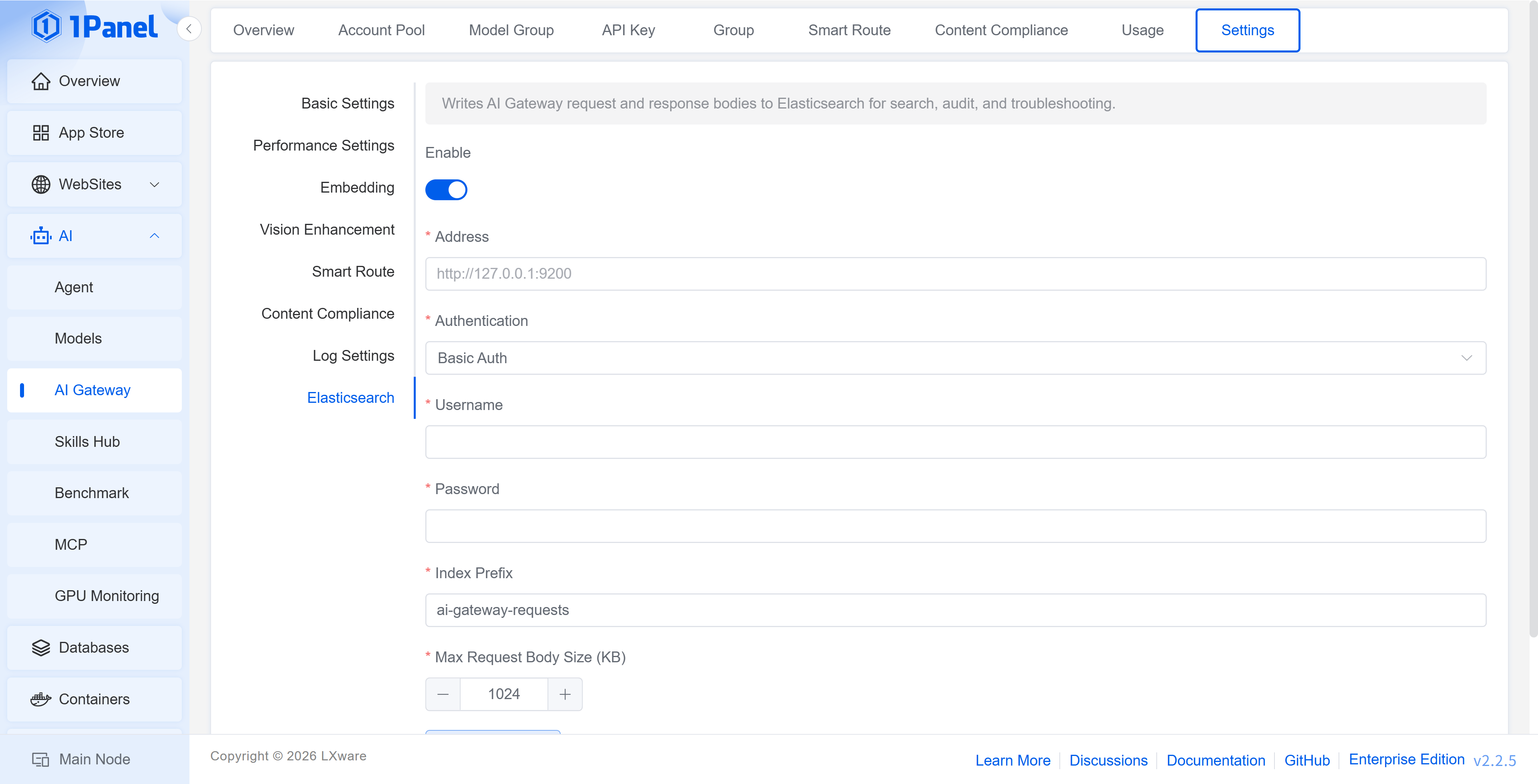
Parameter Description
- Enable: Controls whether request and response content is written to Elasticsearch
- Address: The Elasticsearch service address, e.g.,
http://127.0.0.1:9200 - Authentication Method: Select the authentication method used by Elasticsearch
- Username / Password: Required when using Basic Auth
- Index Prefix: The index prefix used when writing data
- Maximum Saved Size per Request Body: Limits the request body size written in a single write; content exceeding the limit will be truncated
Request and response content may contain prompts, user input, or business context. Please restrict the network access scope, account permissions, and data retention period of Elasticsearch according to compliance requirements.
Take 1Panel Further
Running 1Panel OSS? Pro Edition adds WAF protection, unlimited AI agents, multi-node management, and priority support — starting at $80/year.